Editor++ (E++)

A plugin by XertroV(Trusted developer)

Editor++ (E++)
Downloads 55,668
Updated 4 months ago
Released 3 years ago
Numeric ID 377
Min. Openplanet 1.27.12
Featured
Game Trackmania

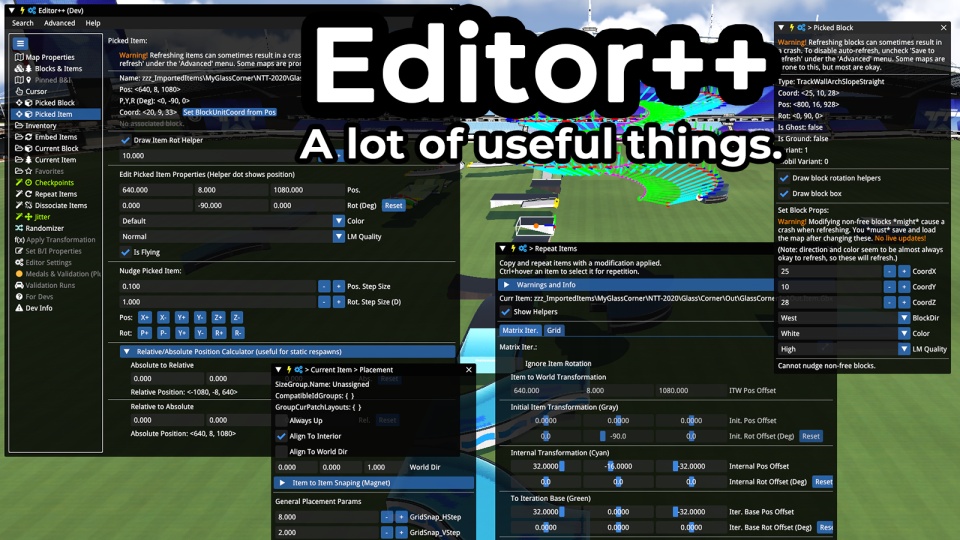
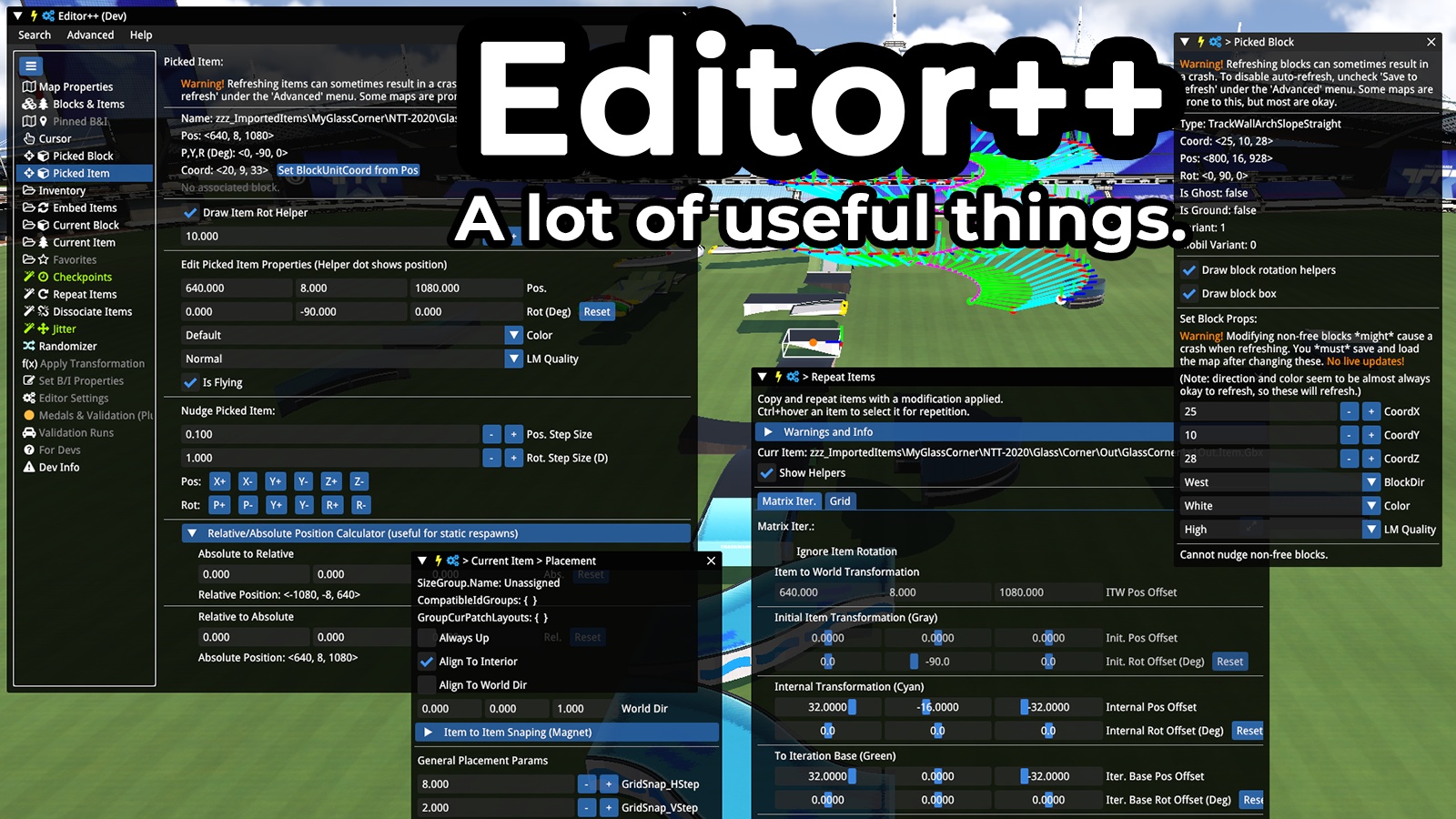
Current features: (very outdated)

  • Edit map properties, including height
  • See all blocks and items with details, and focus the cam on them, delete normal/ghost blocks
  • Create quick-access windows for folders of blocks/items
  • QoL improvements for the cursor, incl reset and manual set
  • Edit properties of arbitrary blocks and items, including location (with live refresh)
  • Embed items in the map so you can use them without restarting the game
  • Browse and edit BlockInfo and variants
  • Choose the variant and ground status of the selected block
  • Fine tune item placement params (or set them to whatever you want)
  • Edit item placement layouts for more/less items and customize the position
  • Apply vanilla placement layouts to custom items (so you could have a custom road sign, for example)
  • Autoset newly placed checkpoints linked status and/or order
  • Repeat items in various patterns
  • Dissociate items from blocks so you can delete the block without deleting the item
  • Apply a jitter to items upon placement (position and/or rotation and/or position offset)
  • Randomizer: various properties of blocks and items
  • Dev Info: access to convenient utilities and previously hidden properties of blocks and items
  • Create unique custom items via 'Mesh Manipulator' (in the Item Editor)

License: Public Domain

Authors: XertroV

Suggestions/feedback: @XertroV on Openplanet discord

Code/issues: https://github.com/XertroV/tm-editor-plus-plus

(for todos, etc, see github)

Changelog

0.8.999999997 - 4 months ago

  • Fix crashes when loading maps after using gizmo / nudge / E++
  • Fix Macroblock Show Ghost/Free Blocks + Copy-Paste weird cursor: when copy pasting, sometimes the macroblock would have a block at (-1, 0, -1) which caused the cursor to behave oddly at some rotations.
  • Workaround for "Ghost" Items after using Gizmo / Nudge: if you get unselectable items in the map after gizmo/nudging, there is a button in 2 locations: in the Gizmo toolbar (when gizmoing an item), and under the Fixes tab.
  • Set autosave default to 67s (down from 300s default for the map editor)
  • Fix gizmo re-entering normal item mode (it would be stuck in ground-item mode before)
  • Fix various UI scaling things
  • Fix Placement Toolbar visibility settings not being remembered (thanks Ezio)
  • Fix Tab States and Favorites not saving (thanks Ezio)
  • Some general maintenance from Ezio
  • Fix rare hang when forcing block variant when the inventory was focused on another folder
  • Fix UI warnings about duplicate IDs (please report any instances you find)
  • Fix "yeild" -> "yield" spelling (thanks SBVille)
  • Add current game version as compatible
  • Add free grid, smart rotate settings near infinite precision in custom cursor
  • Fix: When setting a map mod from a URL, make sure the skin path is "Stadium\Mod\", not "Any\Advertisement1x1\"
  • Fix re-finding items after nudging (please report any issues that persist)

0.8.999999996 - 4 months ago

βš‘β›“οΈβ€πŸ’₯ Editor++ v0.8.999999996 Changelog

This version brings some big UI changes with tab categorization and favorites, alongside powerful new features like the Macroblock Recorder and the unforgettable "Auto-Fix Rotated Trees."

πŸ—»πŸ‡ New Features

πŸ’₯πŸ”­ UI & Navigation

  • Tab Categories: The main sidebar is now organized into categories like Global, Map Contents, and Placement for easier navigation.
  • Tab Management:
    • Favorites & Hidden Tabs: Right-click a tab to add it to a "Favorites" category or hide it from view.
    • Pop-out Tabs: Middle-click any tab to pop it out into its own movable window.
  • Back/Forward Navigation: Use your mouse's back and forward buttons to navigate your tab history.

πŸšΈπŸ‘ Macroblock Tools

  • Macroblock Recorder: Record placed blocks and items into a new macroblock. Activate it from the new Macroblock Placement Toolbar.
  • Macroblock Placement Toolbar: A dedicated toolbar appears when placing macroblocks, providing quick access to convert to Air/Ground, re-initialize the model, and manage recordings.
  • Large Macroblocks: Added editor patch to allow viewing and placing macroblocks that exceed the default 350-block/600-item limits (increased to 131k for both).

☒️🎯 Vegetation & Item Placement

  • Auto-Fix Rotated Trees: An option in the Item Placement Toolbar to automatically correct the orientation of trees placed on angled surfaces.
  • Randomize Vegetation Layouts: A new toggle to cycle through different vegetation layouts when placing items on compatible terrain.

πŸ§¨πŸ’» New "Fixes" Tab

  • A dedicated tab for solving common editor problems, including:
    • A toggle to fix an unresponsive "Test from here" button.
    • An experimental patch to prevent the game from recalculating baked blocks.

πŸͺ‚πŸͺ­ Improvements & Fixes

  • Find & Replace: Now includes "Add Without Replace," "Keep Source Color," and "Keep Source Variant" options for more powerful replacements (thanks ArEyeses).
  • Toolbars: The Item and Block Placement Toolbars have been overhauled with more options and better contextual awareness.
  • Vehicle Placement: You can now customize the car's vertical placement offset in the "Custom Cursor" tab.
  • Macroblock Bugfix: Fixed an editor bug where copying only ground-based items into a selection resulted in incorrect positions.
  • List Columns: The columns in the Blocks & Items list are now configurable.
  • Hotkeys: Hotkey settings are now saved and loaded properly and some other fixes.

0.8.999999995 - 7 months ago

Gizmo updates:

  • Swap cycle pivot button (Tab or RMB button)

  • Place At / Duplicate - (Ctrl + Shift + RMB)

  • Labels (dist / angle)

  • Plane Snapping & Special Angles, step rotation

  • Hotkeys apply (and invert)

  • Hotkeys WASD, Q, E, Tab, F, R, C, Y, U, +, -, Space

  • Undo (U key by default)

  • Hold ctrl + press space while dragging along an axis

  • Repeat last difference

  • Fix: Colors handled properly

  • Fix some pivot bugs; some remain

  • Known issues:

    • Bug: not all item pivot positions work right
    • Bug: sometimes label for dragging on plane has axes swapped
    • Bug (old but not documented): sometimes gizmo dragging can activate while moving camera
  • Block Placement Toolbar:

    • it's new!
    • smart rotate (works okay; rotate 90 deg around current axes, not world axes)
    • free grid mode (fake grid for free block/item mode)
    • select placement modes (normal, ghost, free)
    • force variants with helper (requires ghost/free mode)
    • Big Snap mode
  • Item Placement Toolbar:

    • add modes (N/G/F)
    • free grid mode, smart rotate, etc

Misc:

  • Fix dissociate items on free blocks
  • Fix nudging items with large block unit coords
  • Fix export of some functions (wrong namespace)
  • Disable a mediatracker tab since it crashes the game about 50% of the time
  • Fix moving camera programmatically out of bounds

Note: if blocks appear 0.25m off in the Y direction using gizmo, try Custom Cursor > Do Not Offset Block in Cursor Preview + FreeBlock Vertical Offset (In-Cursor)

View all changelogs