- Update batch mode ghost base URL to prod.trackmania.core.nadeo.online
| Downloads | 35,487 |
|---|---|
| Updated | 1 year ago |
| Released | 6 years ago |
| Identifier | GhostToReplay |
| Numeric ID | 62 |
| Min. Openplanet | 1.26.0 |
Ghost to Replay
This plugin can be used to combine a ghost with a map to create a usable replay file. It has been tested using the ghost links on trackmania.io.
How to Use with Trackmania.io
- Play the track you want to be in the replay
- Go to the Leaderboards page on Trackmania.io and get the Ghost download URL by right-clicking Download Ghost and choosing Copy link address
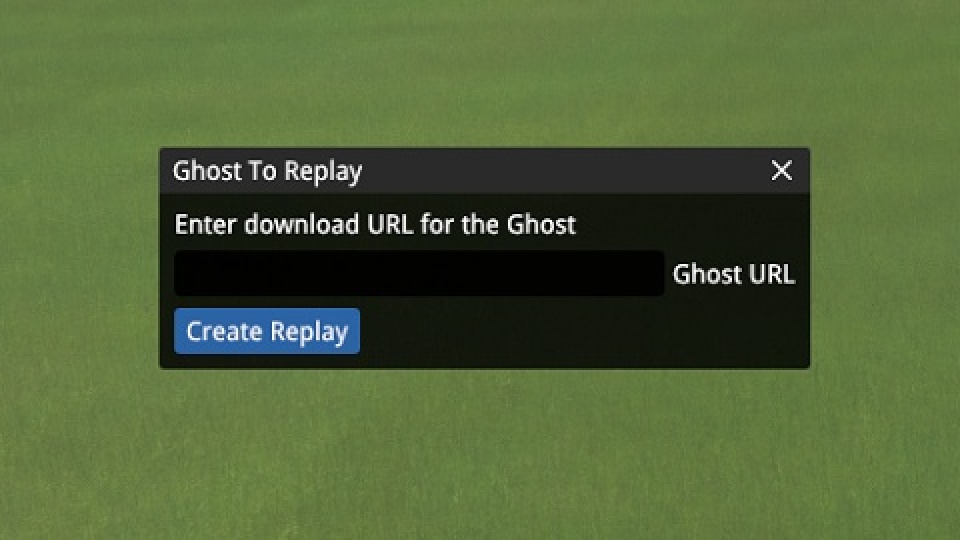
- Paste the Ghost URL into the "Ghost To Replay" window and select Create Replay
- If successful, a message will be displayed with the path and filename of the replay
Changelog
1.4.1 - 1 year ago
1.4.0 - 2 years ago
- Batch mode now uses Trackmania API URL for ghost download rather than TM.IO
- Added plugin setting to enable/disable Batch Mode adding meaningless noise to ghost download URLs to work around local caching. Default enabled.
- Fix issue in downloading maps if the Maps/Downloads/GhostToReplayBatch folder does not exist
- Fix use of deprecated global StripFormatCodes function
1.3.0 - 3 years ago
- Add batch mode to more quickly create multiple replays at once. Enable in the plugin settings